Who and in what situation
Here, the users are a small design team. After the redesign, the product gained a lot of new interface, and there are only a few designers.
What we needed
- Design and code speak the same language and don’t drift apart over time.
- Light and dark themes without manually repainting every screen.
- A small team keeps pace with the product, and minor visual fixes don’t wait on engineering.
One vocabulary for design and code
Between a mockup and the code there’s usually a ticket queue and “magic” colors. We gave design and code a single vocabulary.
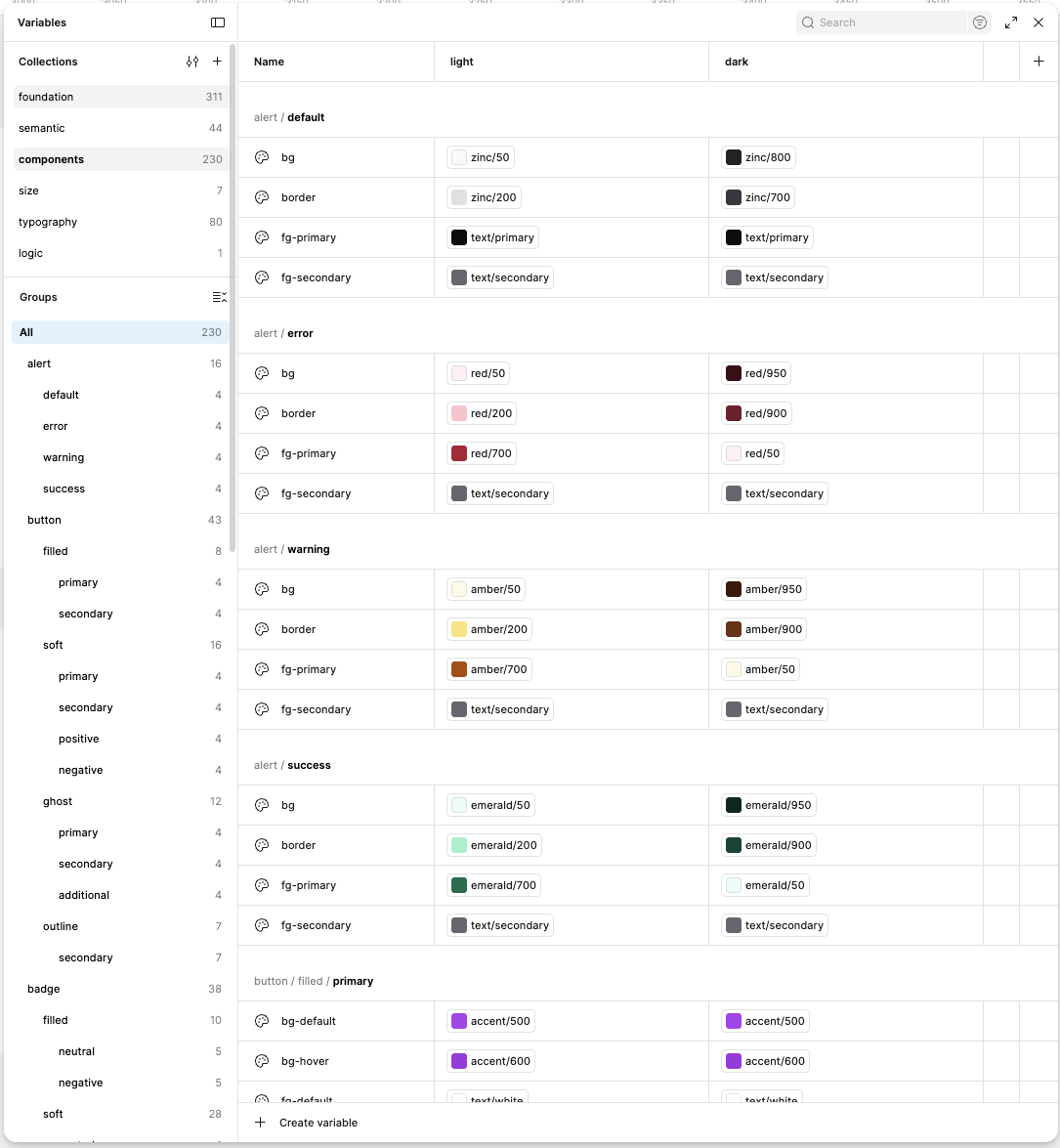
The foundation is shadcn/ui, redrawn for Dolphin{Anty} with its signature purple. Figma variables are organized into five layers, each with light and dark modes. A component token references a semantic one, which references a base one, so a single change flows through every component and both themes.
foundation 311
accent/500 · #8b5cf6accent/600semantic 44
bg/brandtext/linkcomponents 230
button/primary/bgalert/info/borderinterface
Create profileTemplate savedOne value in foundation flows through semantic and components all the way to finished buttons and alerts.
How we work with Claude
Together with the developers, we set up the product code locally and opened it in Claude Code. The repo has a README and a CLAUDE.md with project rules, and Claude is connected to Figma via MCP. Designers make visual changes to the frontend without touching the logic.
With every cycle like this, the system gets stricter and fixes get rarer.
Component states
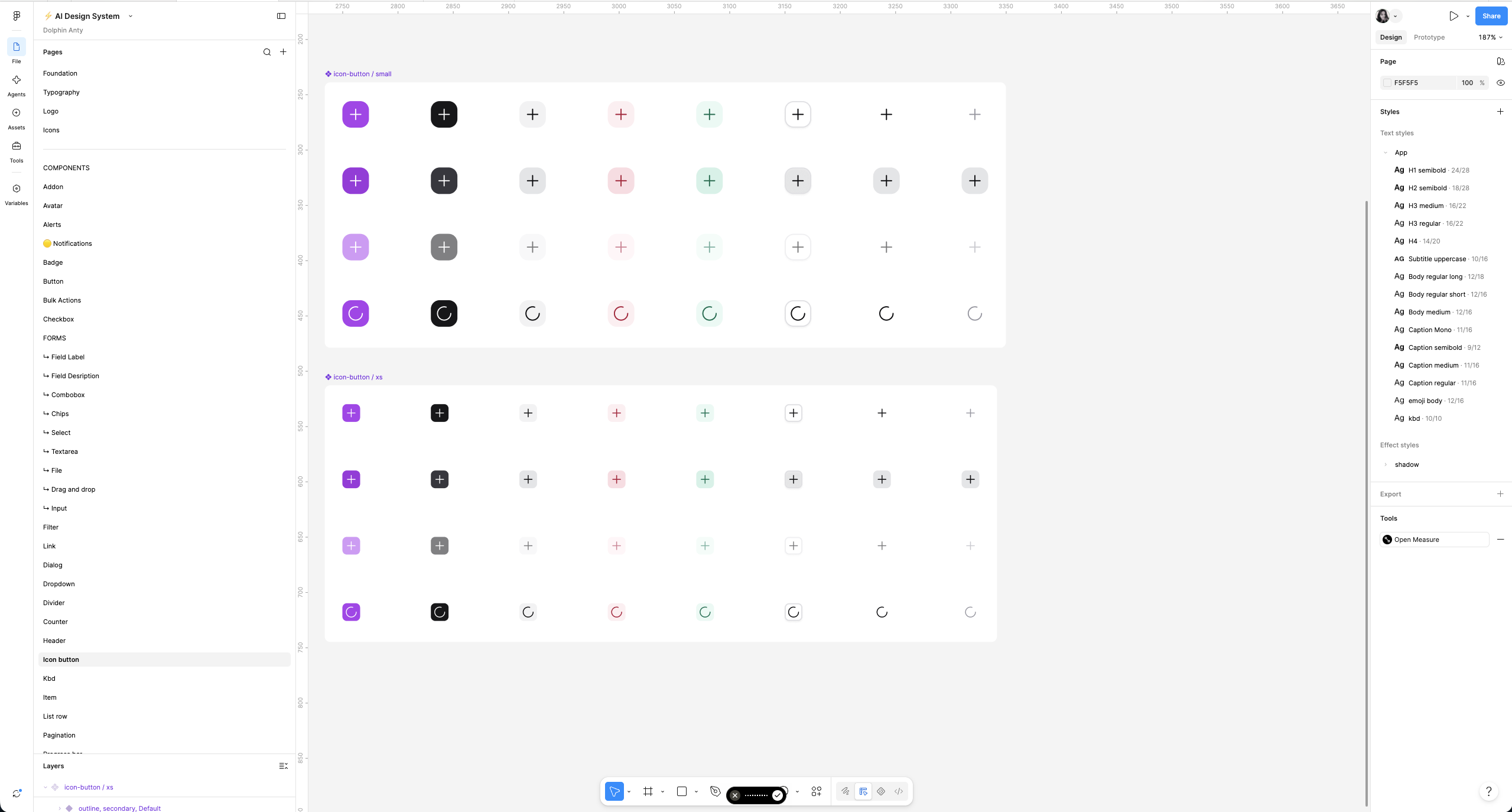
Every component in the library comes in all states and sizes: buttons, alerts, badges, form fields, dialogs, pagination, and more.
One-click repainting
Mockups and the interface repaint in one click, and designers fix drift from the system themselves.
- Light and dark themes are supported with no manual work.
- A small design team gets more done: AI handles the routine of bringing screens in line with the system.
Changing the overlay color behind modals used to be a big task: find every instance and update it by hand. Now it’s enough to show Claude the mockup, and it finds the right token and updates it everywhere.