Who and in what situation
Users keep hundreds of profiles in the browser and work in it all day. Yet the interface, in the CEO’s words, was stuck in the early 2000s.
Competitors already looked more modern, and users were leaving. The product’s functionality is strong, and design wasn’t the only reason for churn, but it clearly shaped first impressions.
Goals
- Make the interface modern and pleasant to use while keeping the signature purple.
- Simplify frequent actions where users used to have to “aim” at tiny targets.
- Keep habits intact: users still recognize the product and can do their usual tasks without friction.
- Lay the groundwork for growth: tokens, light and dark themes, multiple languages.
Two weeks instead of an engineering backlog
Between users and their everyday work stood tiny buttons, unlabeled icons, and years of custom patches fighting against Vuetify.
- 1A four-person brainstormWith the art director, a junior designer, and the CEO. We chose shadcn/ui as the foundation: modern, calm, and easy to scale.
- 2Atoms and tokens in FigmaButtons, inputs, colors, and states. Both light and dark themes fully specified.
- 3Claude instead of an engineering backlogWe connected Claude to the frontend on a test branch and gave it the mockups and tokens. We only changed CSS and left the logic untouched.
- 4Molecules and screensHeader, folders, modals. Two weeks later, the core interface went into testing.
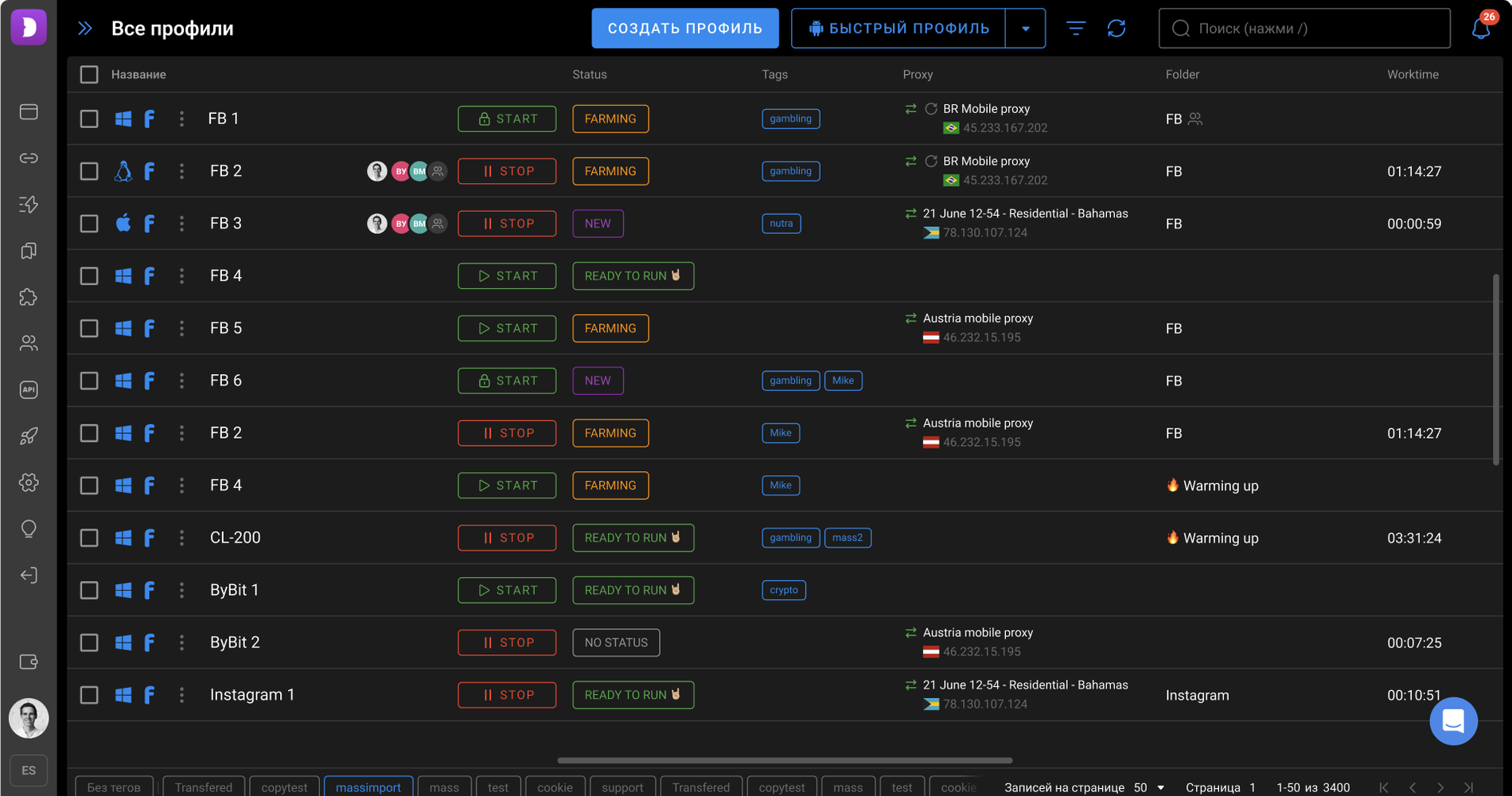
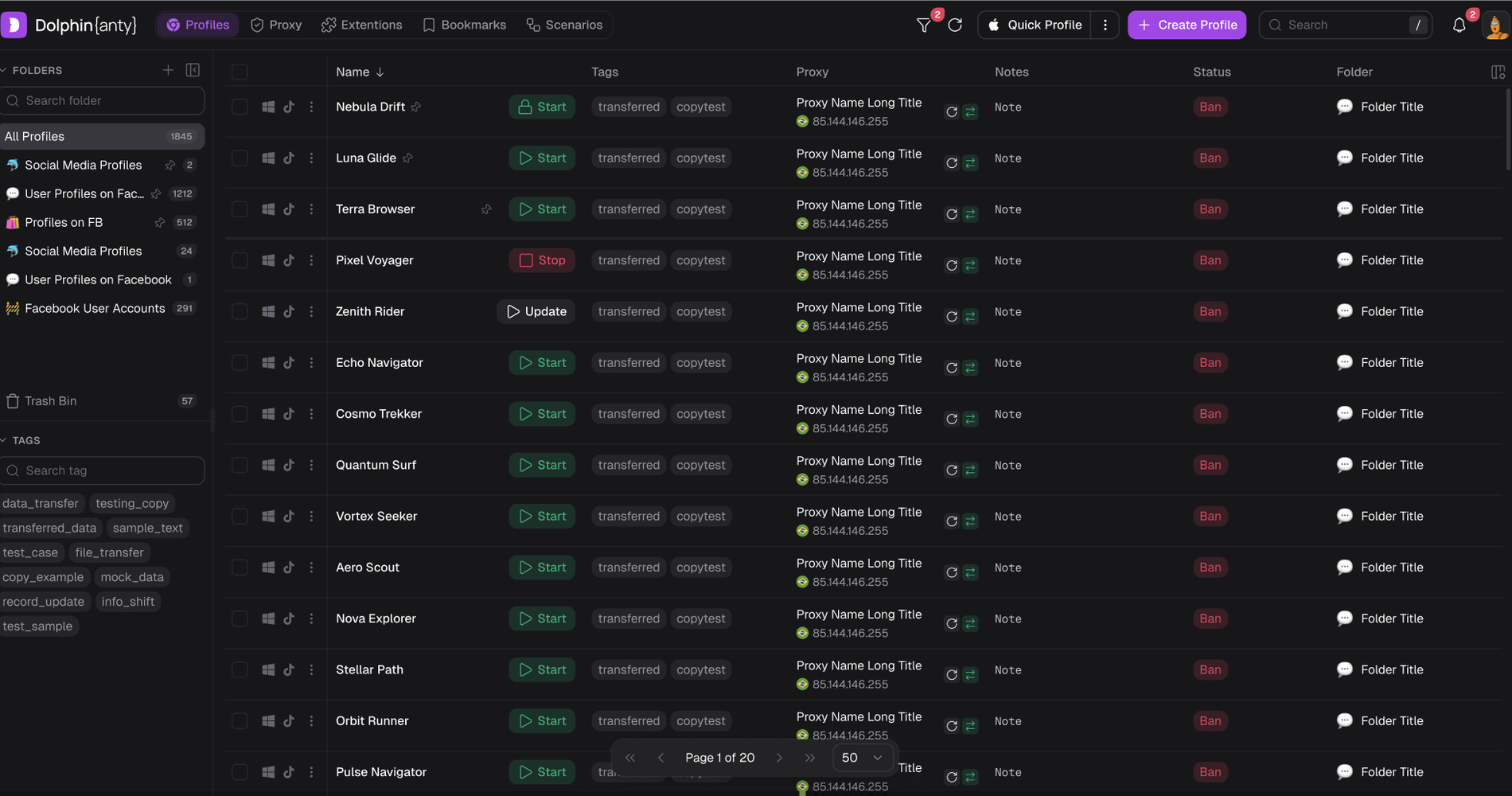
What changed
Editing tags used to mean hitting a tiny button. Now the whole cell is clickable, and a hover state signals that it’s interactive.
Profiles, Proxy, Extensions, Bookmarks, and Scenarios moved to a labeled top menu. No more memorizing icons.
A left panel with folders, counters, pinning, and search, with tags and their own search below.
Instead of two equally loud all-caps buttons: one primary purple action, with a secondary “Quick profile” next to it.
Soft status badges, compact Start/Stop, floating pagination, profile notes, and column settings.
Every color and state lives in tokens, so themes switch without manually editing screens.
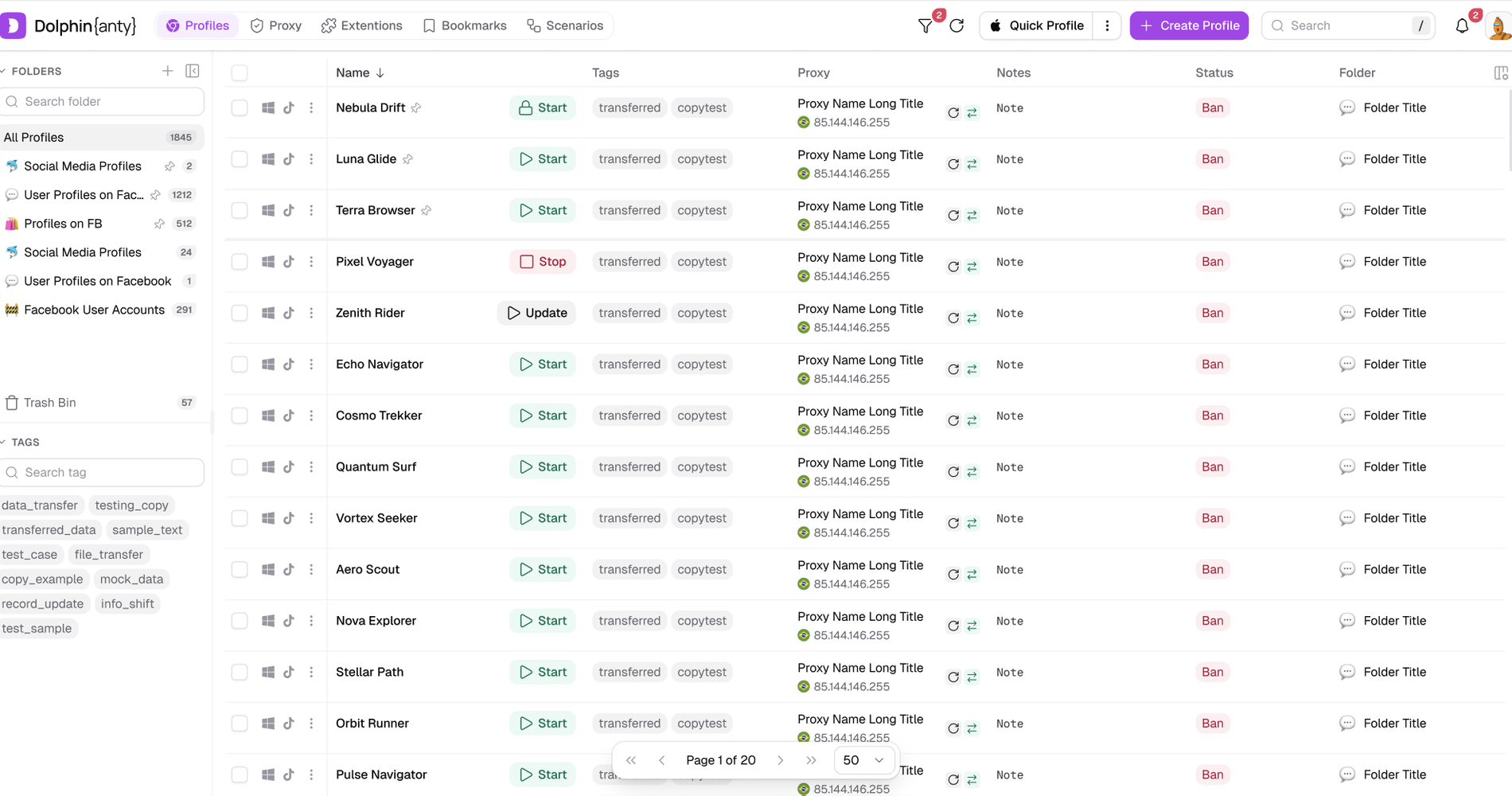
The core interface in two weeks
The core interface was rebuilt in two weeks, and the design process itself changed.
- Designers ship visual fixes to the frontend through AI, so engineering no longer blocks design.
- Familiar flows stayed intact, and frequent actions got simpler.
- The product now supports multiple languages.
The new design is being prepared for release. I’ll add metrics after launch.