Who and in what situation
Power users manage hundreds of profiles. Creating them one by one is slow and tedious, and bulk import requires a data spreadsheet and doesn’t let you reuse settings.
Business goals
- Increase the total number of profiles created.
- Improve conversion to profile creation.
- Reduce churn.
Constraints
- Each template covers one OS and one type of website.
- Plan limits: 10 templates on Base, 50 on Team, 1,000 on Enterprise. On free plans, the feature is visible but prompts an upgrade.
- Users can’t create more profiles than their own and their team’s limits allow.
- Access depends on role: an admin shares with the whole team, a team lead with their media buyers.
From interviews to backlog refinement
Between users and their hundreds of profiles stood the same settings, clicked through again and again.
- 1First drafts and a pauseI sketched a few options and realized I couldn’t do this without users: I didn’t understand well enough how people actually create profiles.
- 215 interviewsPeople lose time on identical settings and expect a solution right next to profile creation. That decided where templates would live.
- 3A prototype and a second roundI showed the prototype to the same users. The key change: templates moved into the “Quick profile” menu.
- 4From mockups to developmentI wrote up the spec and went through several backlog refinement sessions covering limits, roles, and errors. I kept refining the mockups until there were no open questions.
What we decided
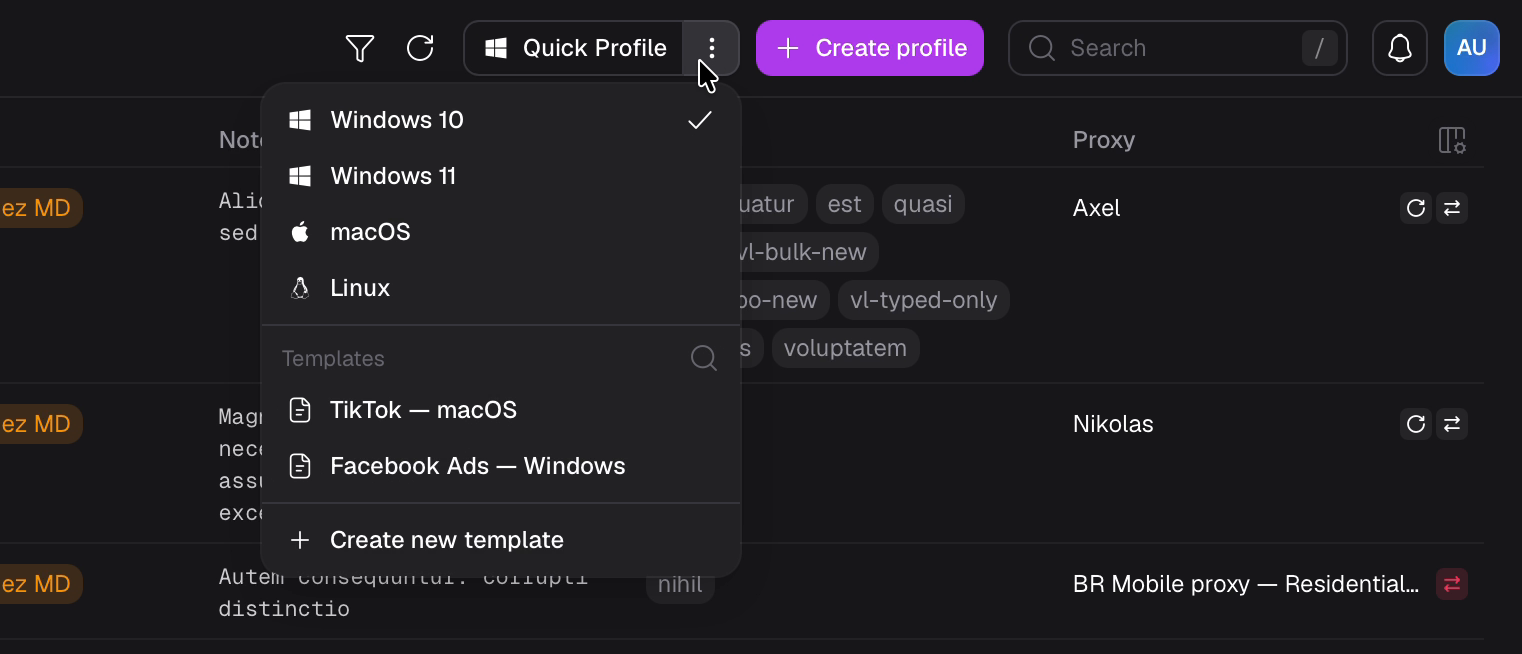
The product team suggested putting templates in the side navigation. But users looked for them next to profile creation, so templates landed in the “Quick profile” menu, under the OS picker.
The selected template replaces the “Quick profile” label, and every click instantly adds a ready profile to the table. No form, no “Save” button.
Search for dozens of templates, long names in a tooltip, edit and delete tucked under “⋮”.
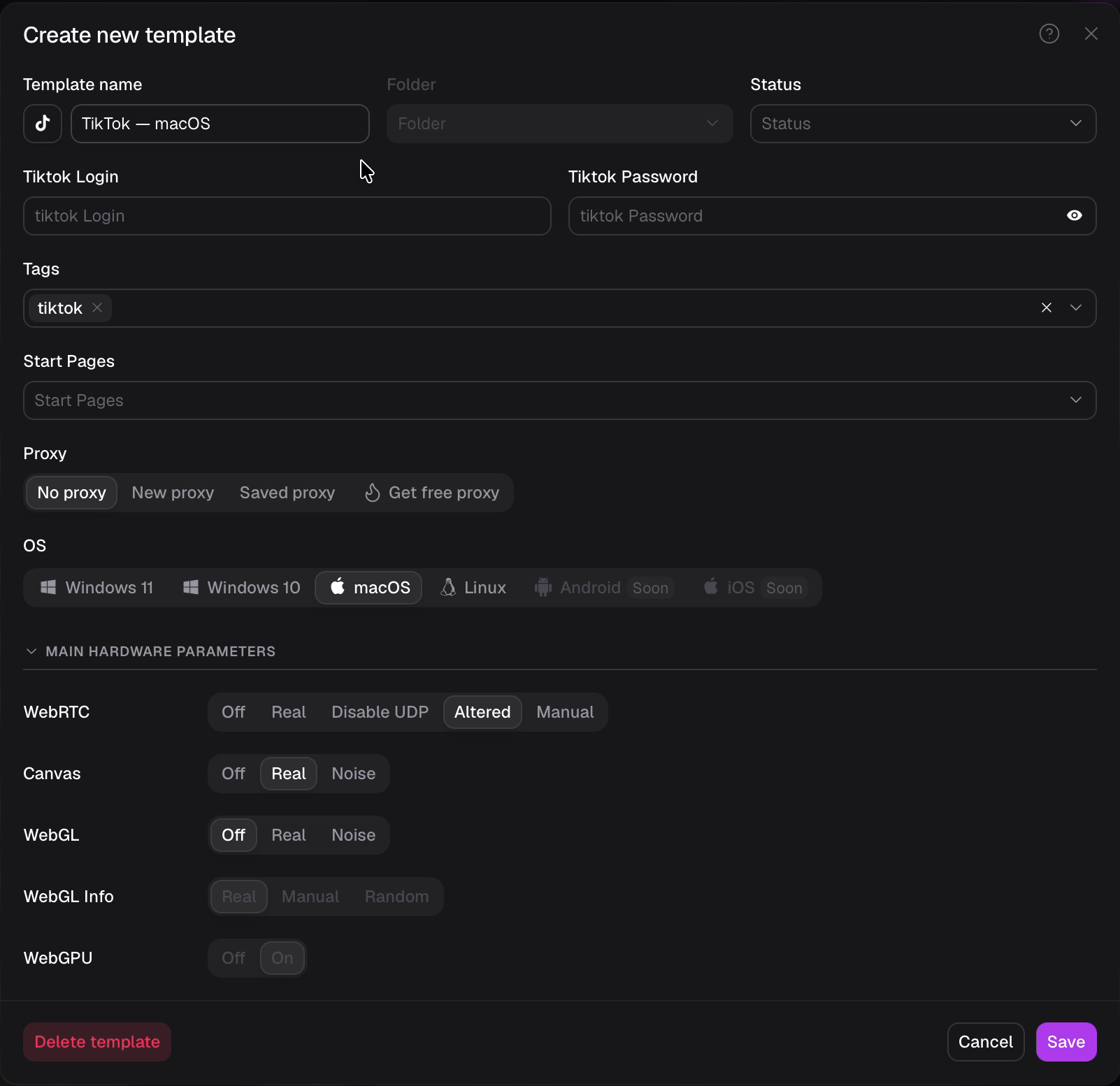
The template dialog mirrors profile creation. Fingerprint settings are one-click segmented controls, some with a Random mode.
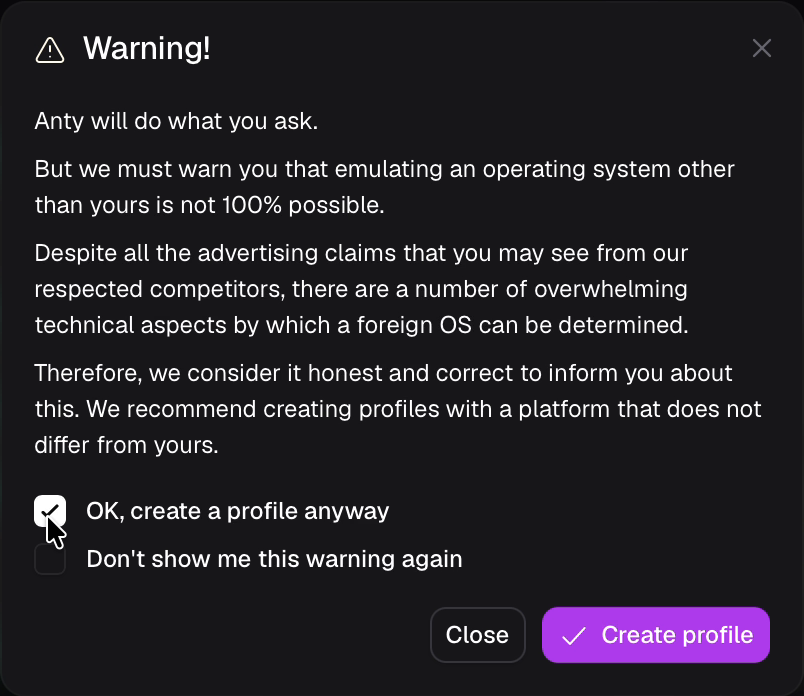
You can’t request more profiles than your limit allows. When it’s used up, you see a clear reason why.
Templates are shared the same way as extensions, a pattern users already know. On free plans, the feature is visible and shows which plan unlocks it.
Shipped, and users responded
The feature shipped and users responded right away: it solved their biggest pain with repetitive setup.
- Creating dozens of profiles now comes down to picking a template, with no spreadsheets and no repeat setup.
- Teams work from shared templates, and the feature became one more reason to upgrade to a paid plan.
- After the release, we got a lot of positive feedback: users finally stopped configuring every profile by hand.